Numeric's MCP Server: How to Connect and 11 Key Use Cases


Every accounting team carries the same burden during close: the work of moving information between tools. Exporting reports. Reformatting them. Drafting the status email. Updating the calendar. Sending the DM to the preparer who's running behind.
No one would argue that these logistics are the job, but everyone knows that they can take up inordinate amounts of time.
Well, we’re pleased to announce that every Numeric customer just got a new teammate with more time, context, speed, and visibility than any single person could bear. Starting today, teams can use Numeric’s MCP server - and with it, your AI model can reference the context of your Numeric workspace.
Your close process used to exist for your team. Now it exists for your team and their agents.
Between packaging commentary on reports and flux in emails, creating or editing close tasks, and other new functionality, the MCP server turns Claude / ChatGPT / Gemini / etc. into an extension of your team that has already read the room.
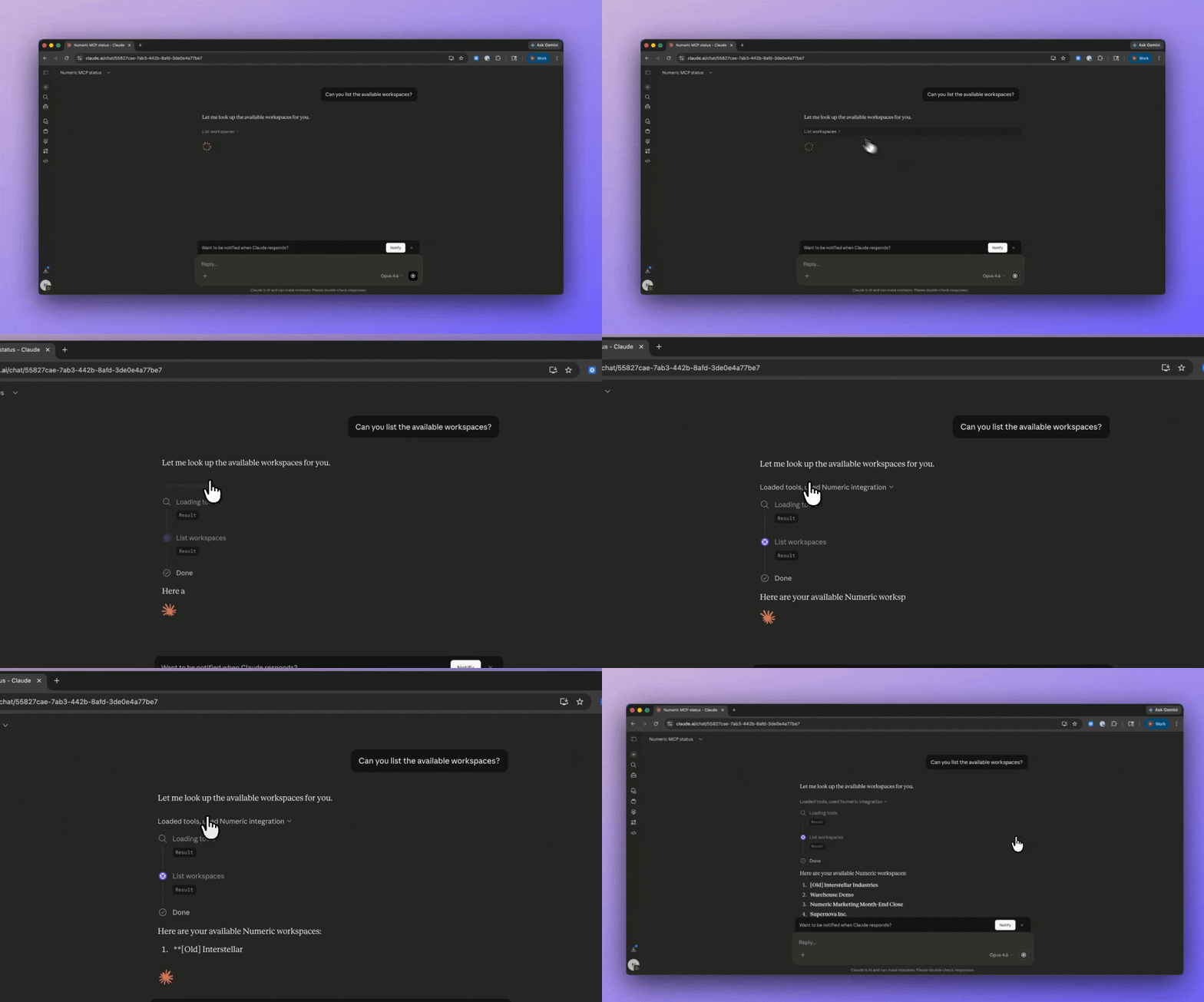
And because Numeric pre-computes and structures your financial data before your AI model ever touches it, it works from clean inputs every time — saving your team time and compute on every deliverable.
This post walks through what's actually working today: the specific things you can do with your AI model once it gets access to your Numeric workspace, and how those actions change the way a month-end close feels.
What's an MCP Server, and Why Does It Change Things?
MCP stands for Model Context Protocol — an open standard introduced by Anthropic that lets AI assistants connect to external tools and data sources. Think of it as a universal adapter: instead of AI assistants that can only work with information you paste into a chat window, MCP lets Claude (and other AI clients) operate inside the systems you already use.
The problem MCP solves is one accounting teams know intimately. Your close process and data lives in Numeric. Your communication lives over Slack and email. Your deliverables live in Google Sheets or Excel. And every workflow that spans more than one of those systems requires a human to manually carry or coordinate information between them.
MCP collapses that gap. When you connect the Numeric MCP server, Claude / ChatGPT / Cursor / Gemini gains the same access your team has — the same reports, the same task lists, the same GL data — and can take actions across all of it in a single conversation.
The right way to think about it: you're not doing all your Numeric work in your AI model.
Instead, you can connect any tool to Numeric instantly - all via chat.
Numeric becomes where you orchestrate your close process for both your team & agent actions.
Getting Connected
Setup takes about two minutes.
Claude.ai or Claude Desktop:
- Go to Settings → Connectors
- Add the Numeric MCP server using https://api.numeric.io/mcp
- Log in with your Numeric credentials when prompted
- Start a conversation — Claude now has direct access to your workspace
Claude Code:
claude mcp add --transport http numeric
https://api.numeric.io/mcp
Then run /mcp to authenticate.
Once connected, Claude has the same access as your Numeric user account.

The Three Levels of Using Numeric’s MCP
.png)
Beginner: Take actions directly in Numeric
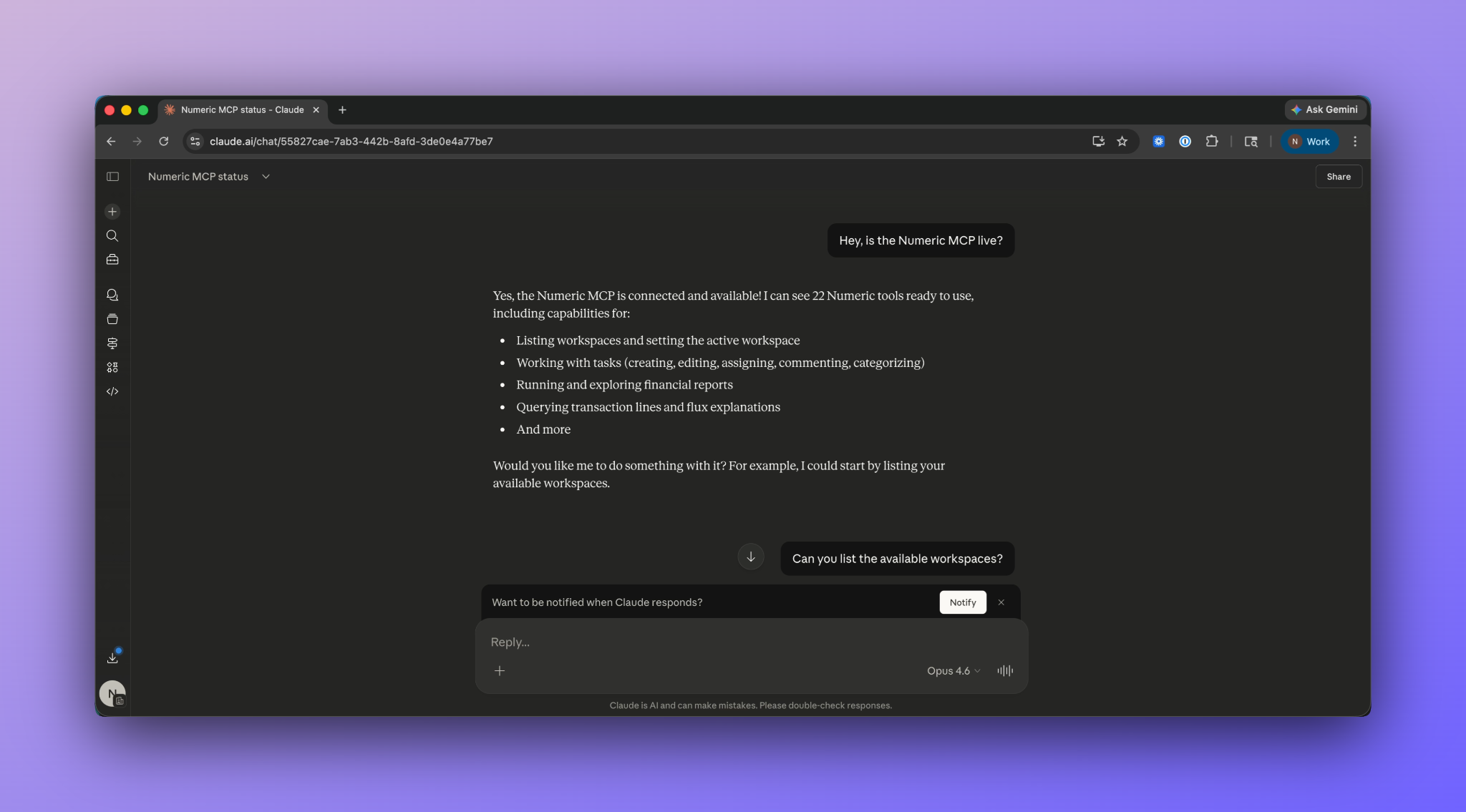
At the most basic level, Claude becomes a natural language interface to your Numeric workspace.
The Numeric MCP server exposes 20+ tools organized into three domains.
- Workspace and Context - AI can orient itself in your Numeric environment - understanding who’s on the team, what periods are open, which entities exist, and what tags and categories are available.
- Close Task Management - your AI model can participate in the full lifecycle of a close task: it can list tasks, create tasks, assign and reassign preparers and reviewers, set due dates, add comments, etc.
- Financial Reporting & GL Data - have AI pull structured financial data, build ad-hoc reports, analyze trends, and drill into individual journal entries.
From here, you can do virtually all of the same actions you’d normally perform in Numeric or pair tasks together for new, multi-step capabilities:
- Query your GL in plain English - "What did we spend on AWS last quarter?" Claude builds an ad-hoc income statement, pivots by vendor, filters to the relevant account, and returns the answer in seconds.
- Get real-time close status - "Which tasks are overdue right now?" Claude can pull the current task list, groups by status, and generate a close status dashboard as needed.
- Edit tasks in bulk, with guardrails - Need to push all due dates back three days? Reassign 15 tasks from someone who's out? Claude shows you exactly what will change before executing. You can preview before committing on every bulk operation.
- Build, format, and export reports with ease - Build IS and BS reports on the fly or pull any saved report from Numeric and ask Claude to reformat it — add commentary, restructure the layout, produce a board-ready summary. Then, export.
Intermediate: Use cross-platform automations with Slack, Gmail, etc.
The more teams set up MCPs across their tech stack, the more each individual MCP becomes powerful - now able to interact with other tools in ways that once required shaky API calls or sustained engineering resources.
Connect it to tools like the MCPs for your calendar, Slack, and Gmail to create useful communication automation deploy agents directly against your checklist tasks. By combining the Numeric MCP with other productivity tools, even teams that once closed by 5BD can reach new levels of automation.
Slack + Numeric
- Daily close standup bot: Each morning during close, Claude checks all open tasks for the current period, identifies what's overdue or due today, and posts a formatted summary to your #accounting-close channel.
- Targeted DMs for overdue tasks: Claude identifies which tasks are approaching or past due, then messages the assignee via Slack with context: "Hey — the Prepaid Amortization task for March is due tomorrow and still in prep. Need help unblocking?" Task name, status, and reviewer comments are pulled directly from Numeric.
- Variance alerts: Claude runs a monthly comparison against the prior period. If any account moves more than a threshold you set (say, 15%), it posts to a channel such as #finance-alerts.
Google Calendar + Numeric
- Auto-block close windows: At the start of each period, Claude reads task due dates and creates calendar blocks for each assignee. Reviewers get blocks after their preparer's due date. If dates shift in Numeric, the events update.
Gmail + Numeric
- Controller/CFO status emails: Claude drafts a weekly close status email to your CFO or Controller with completion rates, overdue items, and returned tasks, pulled live from Numeric. The draft lands in Gmail. You review and send.
Advanced: Multi-level actions that actually do the work
At this level, Claude completes entire accounting workflows that would otherwise take hours. It's not just moving data around; it's producing deliverables. Turn any report or flux analysis into a slide deck, live dashboard, or executive summary with just one prompt.
This is where the value of a well-structured close process compounds. Every task, every workflow, every piece of documentation you've built in Numeric becomes context that agents can reason over and equip in its actions. The more you've invested in organizing your close, the more your agents can do — and because agents read and write directly to your Numeric checklist, Numeric serves as the audit trail for everything they touch.
Budget vs. actuals analysis
Compares a static budget file against live actuals from Numeric to surface material variances and draft written explanations:
- Budget ingestion: reads a user-uploaded budget file (Excel, CSV, or Google Sheets) and maps line items to Numeric's chart of accounts via list_financial_accounts. Flags any unmapped accounts for user review before proceeding
- Actuals pull: queries Numeric via build_report or get_report_data to pull actuals for the matching period, account structure, and entity. Supports monthly, quarterly, or YTD comparisons
- Variance computation: calculates dollar and percentage variances by account, department, or any pivot dimension available in the report. Separates favorable from unfavorable variances and ranks by materiality
- Materiality filtering: applies a user-defined threshold (e.g., >$10K and >5%) to surface only the variances that matter. Defaults to a reasonable threshold if none is specified
- Driver analysis: for flagged variances, drills into underlying transaction lines via query_transaction_lines to identify specific drivers — new vendors, headcount changes, one-time charges, timing differences
- Narrative generation: drafts written variance explanations per account or account group, ready for controller review. References the specific drivers identified and quantifies their contribution to the total variance
- Flux writeback: optionally writes the variance explanations back to Numeric via update_flux_explanation so they're preserved alongside the report data
- Output: formatted variance report (Excel or structured summary) with account, budget, actuals, variance $, variance %, and narrative explanation per line — plus optional writeback to Numeric
Accruals bot
Automates the end-to-end accruals workflow across Google Drive, your GL, and Numeric — from calculating the accrual to posting the entry to closing the task:
- Historical pull: queries Numeric via build_report or get_report_data to pull the trailing 6-month actuals for the target accounts (e.g., utilities, software, professional services)
- Rolling average calculation: computes a rolling average across the lookback window to generate the current-month accrual estimate. Supports simple average, weighted average, or user-specified logic
- Schedule update: writes the updated accrual amounts into the team's accruals schedule in Google Drive (Sheets or Excel), appending the new period column and preserving prior-month history
- Journal entry posting: formats the accrual as a journal entry and posts it to NetSuite, QuickBooks, or your GL via its MCP — debit expense, credit accrued liability, with memo referencing the calculation method and period
- Task completion: locates the corresponding accruals task in Numeric via list_tasks, adds a comment summarizing the accrual amount, method, and GL entry reference via add_task_comment, then submits the task for review via submit_task
- Variance flag: compares the current-month accrual to prior month. If the delta exceeds a threshold (e.g., 10%), flags it in the task comment for reviewer attention before submitting
- Output: updated Google Sheets schedule, posted GL entry, and completed Numeric task with full audit trail — one prompt, three systems
Board package generation
Assembles a multi-report financial package into a single formatted Excel workbook for board, parent-company, or audit delivery:
- Report discovery: runs list_reports to find all saved report configs, matches user intent to the right set (e.g., “board package” → IS + BS + CF; “just the income statements” → IS only)
- Multi-entity support: pulls report data per entity via get_report_data, creates one sheet per entity per statement type (e.g., “Interstellar IS”, “Saturn IS”, “Consolidated IS”)
- Statement types: handles Income Statement, Balance Sheet, Cash Flow, and custom reports. User can specify which to include or default to all three
- Consolidated tab: optionally generates a consolidated view that sums across entities, with intercompany elimination if flagged by user
- Formatting: applies financial statement formatting per sheet — proper headers, account hierarchy indentation, subtotal underlines, currency symbols, $K/$M scaling, negative values in parentheses
- Cover sheet: generates a summary tab with table of contents, entity list, period covered, and generation timestamp
- Bulk mode: can also operate as a simple bulk export — “export all 51 reports as individual CSVs” or “export these 5 reports into one workbook, one sheet each” without the board formatting
- Output: formatted .xlsx via xlsx skill, or individual files (CSV/TSV) if user prefers raw data
Consolidated flux across entities
Consolidates flux variance across multiple dimensions into a single unified view:
- Across entities: merges flux tasks and commentary from multiple subsidiaries into one consolidated variance narrative. Pulls entity-specific flux tasks via list_tasks filtered by report_id, then get_task_comments per task.
- Across flux reports: combines flux tasks scattered across multiple reports (MoM IS, QoQ IS, MoM BS, QoQ BS) into a single queue per account — so a controller sees one view of all variance work regardless of which report it lives in
- Across accounts (roll-up): takes child-account-level flux explanations and summarizes them into group-level narratives (e.g., 12 individual OpEx account explanations → “OpEx up 8% driven by headcount additions in R&D and a one-time legal settlement in G&A”)
- Across periods (trend): stitches flux commentary on the same account across 3-6 months via get_report_row_trend into a trend narrative (e.g., “Software Expense has increased 3 consecutive months, driven by new vendor onboarding”)
- Outputs as structured summary with group account, consolidated variance $, variance %, and rolled-up commentary — ready for CFO review or board prep
Auditor prep packet
Compiles a SOX-ready audit trail from task activity across checklist, recon, and flux modules:
- Activity log: iterates list_tasks → get_task_events per task to build a structured timeline: timestamp, user, action type (created, assigned, submitted, reviewed, commented, reopened), task/account, old value → new value
- Segregation of duties: validates that preparer ≠ reviewer using event data. Flags any tasks where the same person submitted and approved
- Timeliness evidence: compares actual completion timestamp against due date. Flags late completions with days-overdue count. Summarizes on-time vs. late rates per assignee and per report
- Completeness gaps: identifies tasks missing expected lifecycle events — submitted but never reviewed, still PENDING past due date, assigned but no activity
- Comment trail: pulls get_task_comments alongside events so supporting documentation is bundled with the activity log in one export
- Period filtering: scopes the export to a specific close period so auditors get only the month under review
- Outputs as formatted Excel (.xlsx) with columns: period, report, task/account, action, user, timestamp, due date, days late, SoD flag, comments
Numeric MCP Tool List:
As it stands, here are the tools that users can access via Numeric MCP.
What’s Next
The Numeric MCP is live now. Connect at https://api.numeric.io/mcp and start with any of the prompts above, or ask Claude to look around your workspace and go from there.
One question that comes up fast: what does running the Numeric MCP actually cost? It depends on your team size and how often you run each workflow, you can estimate it with our cost calculator and get a ballpark in a few clicks.
If you try something that works well, or find a workflow that's missing, we want to hear about it. The best recipes will become first-class templates that ship with the product — and the most-requested capabilities will shape what we build in the server itself.
The close has always been a process that demands both precision and speed. The MCP doesn't change what precision requires. But it certainly can change what speed looks like.
MCP is just the beginning. Learn what finance engineers are building next.
Related Content
.png)
Numeric vs. Maxima: Which AI Close Platform Fits Your Team?
Numeric and Maxima both automate close work. Compare how each handles reconciliations and cash matching, who owns the rules, and when each one fits.
.png)
7 NetSuite Reporting Tools, and When to Just Replace NetSuite
Compare 7 NetSuite reporting tools by use case and cost, and learn when replacing NetSuite solves reporting problems at the source.
.png)
What Is Multidimensional Accounting? Benefits, Examples, and 3 Steps to Set It Up
Learn how multidimensional accounting tags transactions by department, product, and customer, with examples and 3 steps to set it up.