Variance Analysis How-To: Formulas, Examples, Strategy, and Tools

.png)
Variance analysis is how accountants make sense of what happened in an organization versus what they expected to happen. If a business estimates that they’ll spend $40 on coffee filters for their office in February, but in reality ends up spending $50, the $10 discrepancy is the variance.
But the goal isn’t just to reconcile numbers. It’s to spot patterns, uncover insights, and guide smarter decision-making.
Unfortunately, that’s easier said than done for many finance teams. Between relying on reactive workflows, manually copying and pasting between Excel and ERPs, and being uncertain how to interpret data and surface insights, teams often struggle to use variance analysis efficiently and strategically — and it's one of the reasons CFOs are asking whether they should build or buy the tools that power this work.
This guide will help you and your team transform variance analysis from time-consuming and unclear to faster, insightful, and impactful.
We’ll cover:
- Types of variance analysis and when to best use them
- Common formulas for calculating variance
- How to interpret results and apply them in real-world scenarios
- Building a better variance cycle process (with examples)
- How AI and tools like Numeric automate variance analysis and empower accounting teams
What is Variance Analysis in Finance?
Variance analysis compares actual financial results to budgeted or forecasted amounts. It identifies where things went as planned, and where they didn’t. Measuring these differences enables finance teams to notice patterns, build hypotheses, and bring insights to the attention of the wider organization.
Variance analysis is the key to understanding performance. Among other truths, it can reveal:
- When teams are on-budget or off-budget
- Whether cost-saving measures are working
- How realistic your revenue goals are
With insights like these, leaders can adjust in real time instead of waiting for quarter-end surprises. Used consistently, variance analysis drives accountability and more informed decisions.
Controllers, FP&A teams, and CFOs all rely on variance analysis for visibility and control. Controllers ensure budget discipline and accurate reporting. FP&A tailors forecasts and extrapolates trends. CFOs assess performance, explain variance, and steer strategy at a high level.
Applied Time Periods
Variance analysis can be applied across multiple time frames. Here are some common time frames, along with best practices for each:
Current Month vs. Budgeted Month
A direct comparison of how the business performed during a given month relative to what was planned. Ideal for catching short-term deviations and keeping teams accountable to specific monthly targets.
Month-over-Month (MoM)
Highlights performance trends or operational fluctuations over consecutive months. Useful for detecting seasonality, sudden changes, or the early effects of new initiatives.
(MoM and QoQ are key for flux analysis, which is a form of variance analysis that aims to understand fluctuations in an organization’s finance over time.)
Quarter-over-Quarter (QoQ)
A higher-level view that smooths out short-term noise and focuses on sustained trends. Common in board reporting, performance reviews, and shareholder disclosures.
Year-to-Date (YTD) vs. Forecast
Tracks cumulative performance over a given year against revised expectations. Helps teams understand whether they’re on track to meet stated goals, or if forecasts should be adjusted.
Actual vs. Rolling Forecast
Compares actual results against a continuously updated forecast that incorporates emerging trends and known changes. More dynamic than a static annual budget, and often preferred in fast-moving organizations.
Scenario vs. Actual
Measures actual performance against a modeled “what-if” scenario. Often used in risk planning, M&A analysis, or to gauge the impact of potential external shocks (e.g., interest rate changes or black swan events).
Why It’s Critical
Variance analysis can be a strategic asset. By surfacing the delta between plan and reality, it gives finance teams and leadership the confidence to act.
Here are just a few ways variance analysis can impact your organization:
Informs Decision-Making
- Allows teams to validate assumptions and adjust strategy
- Uncovers easy-to-miss cases of overspending or underperformance
Enables Proactive Management
- Reveals problems before they grow
- Empowers leaders to act quickly and with support of real data
Drives Operational Efficiency
- Inefficiencies are surfaced quickly
- Clarity is improved at the department and team levels
Supports Accountability
- Variance and flux analysis identify clear responsibilities for business outcomes
- Ownership and incentive structures can be more closely aligned to KPIs
Key Use Cases and Applications
Budget Management
- Planned budgets can be constantly validated and adjusted
- Monthly and quarterly FP&A cycles are powered by better variance analysis
Revenue Forecasting
- Actual vs. projected revenue can be compared at a granular level
- Changes to ARR can be usefully extrapolated for subscription-based businesses. Understanding those projections alongside your cash flow analysis gives finance teams a clearer picture of when revenue actually hits the bank.
Cost Control
- Flags unexpected increases in expenses like headcount, software spend, or COGS
- Visibility and accountability improve communication between finance teams and leadership
Performance Evaluation
- Performance can be studied at every level from individual product lines to business units or entire teams
- Robust analysis fuels more nuanced and productive performance reviews
Strategic Pivots
Helps leadership spot when forecasts are no longer tracking due to macro shifts, operational delays, or execution gaps. This unlocks earlier and more effective pivots in strategy.
How Often Should You Do Variance Analysis?
The right cadence for variance analysis depends on your organization’s goals, operating speed, and financial complexity. Ask yourself:
- How volatile are our inputs (costs, demand, pricing)?
- How would our organization benefit from the ability to alter these inputs on different time horizons?
- How quickly can our organization implement changes?
- How often are decisions being made that rely on up-to-date information?
All else equal, most orgs benefit from a monthly cadence supported by quarterly strategic reviews. This offers a balance between speed and richness of insights.
Numeric and other accounting tools supplement this standard approach by delivering real-time variance alerts that keeps your team continuously informed without needing to run a full variance analysis.
Here’s a quick guide to the most common variance analysis intervals:
Monthly
This is the most common cadence for FP&A and accounting teams. Monthly variance analysis usually fits into the month-end close and financial reporting cycle, making it easy to align with budget reviews and board reporting.
Most teams find that a monthly cadence allows them to track progress in a timely and actionable way. This approach can be complemented by the use of automation or AI-enabled flux tools, which teams can use to surface real-time variances without waiting for the books to close.
Quarterly
Quarterly variance analysis is well-suited for strategic reviews, shareholder reporting, and high-level insights into any organization. It’s especially important for large businesses with long sales cycles, low volatility, or limited material fluctuations month to month. For any organization, however, quarterly comparisons help identify trends while limiting the noise of short-term fluctuations.
Weekly or Biweekly
In fast-moving environments like ecommerce or SaaS, weekly or biweekly variance checks can help track revenue performance, marketing spend, or changes in sales pipeline. These cadences offer speed and a great deal of data, but can become burdensome to execute without a high level of automation. Finance teams should be cautious about implementing short-interval cadences unless they’re confident in their tools and understand their accounting bandwidth.
Annually
Annual variance analysis is used to reflect on the previous year’s performance and develop strategic changes. It’s helpful for quantifying broader organizational issues such as misaligned targets, underperforming departments, or planning assumptions that didn’t hold true. While not necessarily actionable in real time, it informs strategy and budgeting for the year ahead.
Types of Variance Analysis
You don’t need to apply the same level of scrutiny to every type of variance on a regular basis. Instead, align your analysis to the metrics that matter most to your business. For instance, a manufacturing company might focus heavily on cost and efficiency variance, while a SaaS company may prioritize revenue and sales variance.
Below are some of the most common types of variance analysis, along with what they track and how they’re used:
Variance Calculations and How to Interpret the Results
Variance reporting is generally straightforward accounting work. The more challenging (and more valuable) part of variance analysis is the interpretation of results and generation of insights.
Interpretation calls for nuance. For example, a positive or negative variance doesn’t always mean “good” or “bad.”
If your organization underspends on marketing in a given quarter, it might look favorable on paper, but underneath the surface, could also signal missed growth opportunities. It’s important to look beyond the “what” happened, and seek out the “why”. Let’s review some common variance analysis formulas and best practices for interpreting each:
Numeric: the leading platform for continuous closes
.png)
Core Variance Formula
Formula: Variance = Actual Result – Budgeted (or Forecasted) Amount
Favorable: Actual result is better than expected (for example, lower cost or higher revenue)
Unfavorable: Actual result is worse than expected (for example, higher cost or lower revenue)
Impact: Provides a basic delta used across all variance analysis
Common Drivers: Budgeting errors, market shifts, internal execution
Best Used For: Quick comparisons of any metric, from top-line revenue to line-item expenses
Related KPIs: All financial statement metrics (revenue, COGS, OPEX)
Best Practice: Always present with context. Understand why the difference occurred before labeling it “good” or “bad”
Sales Volume Variance
Formula: (Actual Units Sold – Budgeted Units Sold) × Budgeted Price
Favorable: You sold more units than expected
Unfavorable: You sold fewer units than expected
Impact: Affects revenue and influences production, staffing, and inventory decisions
Common Drivers: Demand shifts, sales team performance, marketing effectiveness, seasonality
Best Used For: Reviewing sales performance and evaluating accuracy of forecasts
Related KPIs: Total revenue, new customer count, sales pipeline velocity
Best Practice: Pair with sales mix or territory variance to identify where volume differences are
concentrated, along with reasoning for increase or decrease
Price Variance
Formula: (Actual Sales Mix % – Budgeted Sales Mix %) × Total Units Sold × Budgeted Contribution Margin
Favorable: A higher proportion of high-margin products were sold
Unfavorable: A higher proportion of low-margin products were sold
Impact: Affects profitability and provides context to overall sales volume figures
Common Drivers: Product mix changes, customer preferences, upsell or downsell trends
Best Used For: Product portfolio evaluation and gross margin improvement
Related KPIs: Contribution margin, product-level revenue, average deal size
Best Practice: Combine with volume variance to get a full picture of profitability changes
Cost / Expense Variance
Formula: Actual Cost - Budgeted Cost
Favorable: You spent less than expected
Unfavorable: You spent more than expected
Impact: Affects profitability and budget accuracy
Common Drivers: Vendor pricing changes, inflation, poor internal spend controls, scope changes
Best Used For: Budget tracking, cost center reviews, and department-level planning
Related KPIs: Operating expenses, cost of goods sold, departmental budgets
Best Practice: Break into subcategories like labor, software, or materials to uncover root causes
Efficiency / Usage Variance
Formula: (Actual Quantity Used – Budgeted Quantity) × Standard Cost
Favorable: You used fewer resources than planned
Unfavorable: You used more resources than planned
Impact: Reflects operational efficiency and process effectiveness
Common Drivers: Productivity gains or losses, training quality, equipment reliability
Best Used For: Manufacturing, logistics, and other process-driven operations
Related KPIs: Labor hours, units per hour, production yield
Best Practice: Use in combination with cost variance to evaluate price and quantity effects on spending
Percent Variance
Formula: (Actual – Budgeted) ÷ Budgeted × 100
Favorable: Positive percentage when actual outperforms budgeted
Unfavorable: Negative percentage when actual underperforms budgeted
Impact: Allows relative comparison across teams, departments, or time periods
Common Drivers: Varies depending on metric being measured; useful for standardizing variance reporting
Best Used For: Dashboards, summaries, and comparing variance across different scale items and teams
Related KPIs: Any metric used in cross-functional reporting
Best Practice: Use percent variance for high-level context and high time frame cadences, then drill down into absolute numbers to explain impact and analyze performance on lower time frame cadences
Sales Mix Variance
Formula: (Actual Sales Mix % – Budgeted Sales Mix %) × Total Units Sold × Budgeted Contribution Margin
Favorable: A higher proportion of high-margin products were sold
Unfavorable: A higher proportion of low-margin products were sold
Impact: Affects profitability and provides context to overall sales volume figures
Common Drivers: Product mix changes, customer preferences, upsell or downsell trends
Best Used For: Product portfolio evaluation and gross margin improvement
Related KPIs: Contribution margin, product-level revenue, average deal size
Best Practice: Combine with volume variance to get a full picture of profitability changes
The Variance Analysis Cycle, Step-by-Step
As an accounting team, you want a variance analysis process that is both structured and repeatable.
Below is a step-by-step roadmap of the variance analysis cycle, using the following scenario:
A SaaS company forecasted $250,000 in new ARR for the month of June. June actuals came in at $185,000. The finance team wants to understand why they missed their revenue target.
1. Establish a Well-Defined Budget
Start with a realistic forecast based on historical data, current trends, and business goals. Work with department leads to ensure assumptions around volume, price, and timing are based in reality.
Mock scenario: The company forecasted $250,000 in new ARR for June. This was based on:
- Historical sales capacity
- A 15% win rate
- An average deal size of $10,000
- Target of 25 new deals
2. Gather Actual Results
At the end of the period, pull actual performance data from your ERP, CRM, or analytics tools. Ensure the data is complete and consistent.
Mock scenario: From the CRM and ERP, the team pulled:
- Actual new ARR: $185,000
- 18 deals closed
- Average deal size: $10,278
- Win rate: 12%
3. Calculate Variances
Apply standard variance formulas to compare actual vs. budgeted performance.
Mock scenario: Using the formula Variance = Actual - Budget:
- Total Revenue Variance: $185,000 – $250,000 = −$65,000 (Unfavorable)
- Sales Volume Variance: (18 – 25) × $10,000 = −$70,000 (Unfavorable)
- Price (Deal Size) Variance: ($10,278 – $10,000) × 18 = +$5,004 (Favorable)
4. Focus on Material Variances
Set a threshold to determine what’s worth investigating. This ensures your team will focus on high-impact variances rather than noise.
Mock scenario:
The finance team applies a $10,000 materiality threshold. Both the total variance and volume variance exceed that threshold and warrant further investigation.
5. Investigate Root Causes
Go beyond the numbers to understand the drivers. Look at sales activity, process delays, operational changes, or external factors.
Mock scenario:
After digging into pipeline data and sales team notes, they found that:
- Several large enterprise deals were delayed due to customer-side legal reviews
- No significant issues were found with lead volume or pricing
6. Document and Communicate Findings
Create a summary that includes key drivers, context, and next steps. Use visuals like waterfall charts or dashboards to bring the story to life.
Mock scenario:
The finance team summarizes its findings:
- Cause: Delay in closing several large deals
- Not a pricing issue: Average deal size slightly exceeded forecast
- Actionable insight: Delays may recover in July, but risk-tracking in the pipeline needs improvement
Note that with Numeric, teams can auto-generate this summary using the variance analysis report builder, including visual breakdowns and commentary fields for each line item.
7. Put Together a Plan and Take Corrective Action
Use findings to make strategic or operational changes. Assign ownership and follow up to ensure impact.
Mock scenario:
- Sales leadership begins weekly reviews of large enterprise deal cycles
- Finance adjusts its forecasting model to weight deal stage more heavily
- The variance report is shared with leadership during the month-end close review
Tools To Leverage In The Variance Cycle
Today, the majority of variance analysis still happens in Excel or Google Sheets. Accountants have been trained to rely on spreadsheets, and there’s nothing wrong with that. But the drawbacks are becoming apparent.
For one, manual data entry is time-consuming and version control can be messy. Moreover, there’s a high risk of formula errors as a spreadsheet becomes more intricate. For lean finance teams, this can slow down month-end close and delay useful insights.
With this in mind, additional tools can streamline different parts of the variance analysis workflow, from data gathering to reporting and more.
ERP Systems
ERP systems are the source of actuals. They house the financial transactions that variance analysis is based on.
Examples: NetSuite, QuickBooks, SAP
Use Case: Pull actual results from the general ledger for comparison to forecast or budget
Consideration: Often requires exports or integrations to connect with planning and reporting tools
FP&A Platforms
FP&A platforms are used for building forecasts, budgets, and models. They often include built-in variance comparisons.
Examples: Vena, Cube
Use Case: Manage planning assumptions, create reports, and compare actuals to forecasts
Consideration: Some platforms require technical setup or ongoing IT support to connect to source systems
Automated Finance & Accounting Platforms (or AI Finance & Accounting Platforms)
These platforms help automate close processes, reconciliations, and variance analysis. Some use A.I. to identify variance drivers or explain fluctuations.
Examples: Numeric, FloQast, BlackLine
Use Case: Speed up the month-end close, improve variance reporting quality, reduce manual work
Consideration: Ideal for finance teams that want to improve efficiency and accuracy
Reporting and Dashboard Tools
These tools help visualize and communicate the results of variance analysis.
Examples: Looker, Tableau, Power BI
Use Case: Build executive dashboards and share insights across your organization
Consideration: Work best when fed clean, structured data from ERP or planning systems
How Numeric Automates and Improves Variance Analysis
Numeric is designed to make variance analysis more efficient and impactful. It integrates directly with NetSuite and other ERP systems, so accounting teams always have access to up-to-date actuals. Built-in workflows allow your team to assign variance ownership, annotate findings, and prepare reports quickly and reliably.
Key features include:
- Native NetSuite integration for real-time actuals
- AI-powered explanations that highlight likely variance causes
- Easy-to-use variance workflows that support collaboration and approvals
- Report builder tools for polished, shareable variance analysis reports
With Numeric, variance analysis becomes a fast, repeatable process involving less busy work and more data-driven insights for your organization.
Want to see how Numeric thinks about building AI-powered accounting tools? Check out this interview with Numeric CTO, Andrew Bihl.
Common Pitfalls in Variance Analysis — and How to Avoid Them
Variance analysis can be powerful. But it can also fall short due to deficiencies in data, insights, or timeliness.
Below are some of the most common challenges finance teams face, along with ways to overcome them:
Focusing on Insignificant Variances
Pitfall: Teams waste time examining variances that have little material impact, or they over-focus on one-off data points while ignoring recurring patterns.
Solution: Set materiality thresholds to ensure appropriate focus. Small, one-time fluctuations can be ignored, but recurring minor variances may indicate a deeper issue. Tools like Numeric allow you to set automated alerts and filters so your team can see what matters and ignore what doesn’t.
Not Separating Volume and Price Effects
Pitfall: Teams sometimes lump volume and price into a single variance line, which makes it impossible to understand what actually changed.
Solution: Use separate formulas to isolate the impact of volume (units sold) and price (average selling price). This creates a clearer narrative and improves forecast accuracy.
Over-Reliance on Spreadsheets
Pitfall: Manual workflows in Excel or Google Sheets increase the risk of formula errors, version conflicts, and inconsistent outcomes.
Solution: Implement tools that integrate with your ERP and automate basic workflow components. Using Numeric or a similar platform can reduce manual steps, increase accuracy, and enable you to spend more time interpreting results instead of compiling them.
Using Inaccurate or Incomplete Data
Pitfall: If the actuals or forecast data are wrong, the variance analysis will yield faulty conclusions.
Solution: Validate your data sources regularly. Ensure that your ERP, CRM, and planning tools are properly synced, and that definitions for things like “new revenue” or “OPEX” are consistent across teams and platforms.
Focusing on the “What” instead of the “Why”
Pitfall: Teams often report variance figures without providing context or explanation for the variance.
Solution: Always complement variance calculations with root cause analysis. You can support this with interviews, system data, and commentary from department heads. Numeric’s AI-generated explanations can also provide initial insights to kickstart the insight generation process.
Reviewing Variances Too Late
Pitfall: By the time variances are reviewed, the actionable window has passed and teams have missed their opportunity to implement impactful changes.
Solution: Build variance analysis into your month-end close process and integrate real-time tracking. Reviewing high-impact metrics mid-month and implementing real-time alerts can help prevent surprises.
Not Communicating or Reporting Findings Clearly
Pitfall: Insights get lost in messy spreadsheets or dense reports that don’t provide a succinct executive summary or follow a clear narrative.
Solution: Use visualizations, summary tables, and structured commentary to make your insights understandable and actionable. Numeric’s report builder can help standardize formatting and elevate the clarity of your reporting.
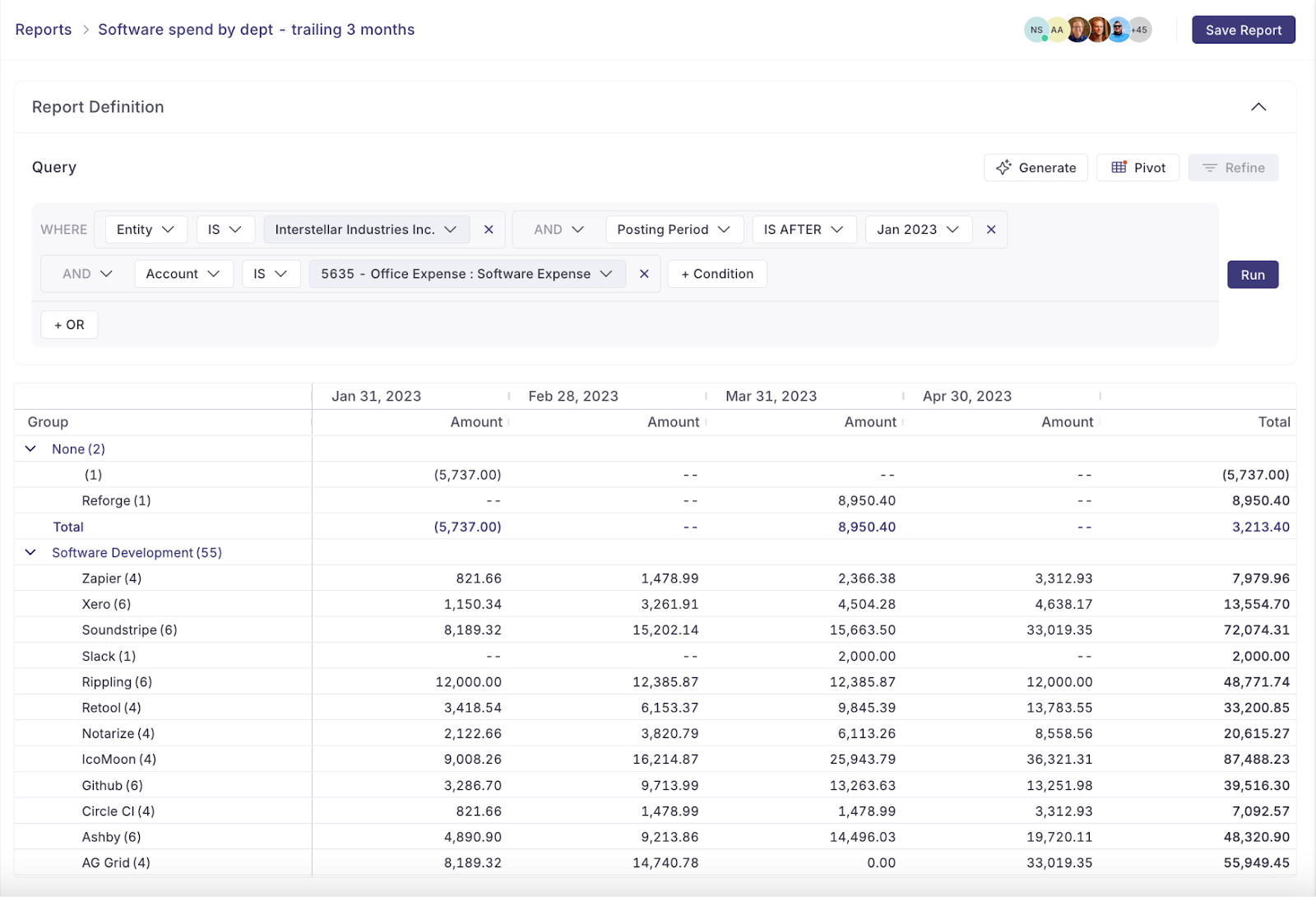
Modern Variance Analysis: Smarter, Faster, and Automated
Variance analysis isn’t just a month-end close task—it’s a strategic lever. When done right, it helps accounting teams measure financial performance, flag risks early, and guide smarter decisions across the business. With a structured, consistent process, finance teams can move beyond reporting and into strategic financial analysis.
But to truly elevate your approach, you need tools built for modern finance teams.
That’s where Numeric comes in.
With transaction-level details, AI-powered exec-level explanations, and reporting tools, Numeric makes variance analysis more efficient and impactful. It integrates directly with NetSuite and other ERP systems, so accounting teams always have access to up-to-date actuals. Built-in workflows allow your team to assign variance ownership, annotate findings, and prepare reports quickly and reliably.
With Numeric’s variance analysis software, variance analysis becomes a fast, repeatable process involving less busy work and more data-driven insights for your organization.
Related Content
.png)
Expense Allocation in Accounting: From Shared Costs to True Margins (and Why the Usual Methods Break)
Learn what expense allocation involves, why it's essential for fully loaded P&Ls and true margins, and why spreadsheet models and aggregate JEs keep failing, plus how to fix the root cause.
.png)
Multi-Entity Consolidation: What It Involves, Why It Breaks, and How to Fix It
Learn what multi-entity consolidation involves, why it breaks as companies grow, and why both Excel and add-on tools share a structural flaw. A guide for controllers and VPs of finance.
.png)
How to Build an AI Audit Trail for Your Accounting Workflows
A practical guide to AI audit trails for accounting: what to capture, why SOX, PCAOB, and GAAS require traceability, and how to audit AI agents and skills, not just AI features bolted onto your close software.