Is Your AI Bill Growing? Here Are the Steps to Take Before You Tighten Team Budgets


Your AI bill went up. What should you make of that?
Did your team get more work done—or was an agent just rereading the same files? Is someone on the team using high-powered models to do simple arithmetic work? Or, is spend going up in a tool your team uses with AI features where you haven’t tracked spend as closely?
Just reading the invoice won’t tell you.
Before tightening budgets, finance leaders need a solid methodology for investigating AI spend: understanding which workflows drove the increase, what those workflows produced, and whether they could deliver an acceptable result more efficiently. That gives finance a basis for deciding where to invest more, where to optimize, and where to ask harder questions.
At Numeric’s Inflection 2026 summit, Glean VP of Finance Michael Miao and Figma CFO Praveer Melwani discussed how they make those decisions. In separate conversations, Numeric Head of Finance Sam Isaac and Solutions and AI Operations Lead Geoff Lew explained how they budget for AI and assess the cost of running it.
Top takeaways
- Find the spending. Include direct model-provider bills and variable AI charges inside existing software, then identify the teams and workflows behind changes.
- Allow for experimentation, but expect value. Give people room to experiment, but continue to assess how processes are actually improving with AI.
- Test improvements. Benchmark a recurring workflow, then compare cost, quality, and human effort after changing how it runs.
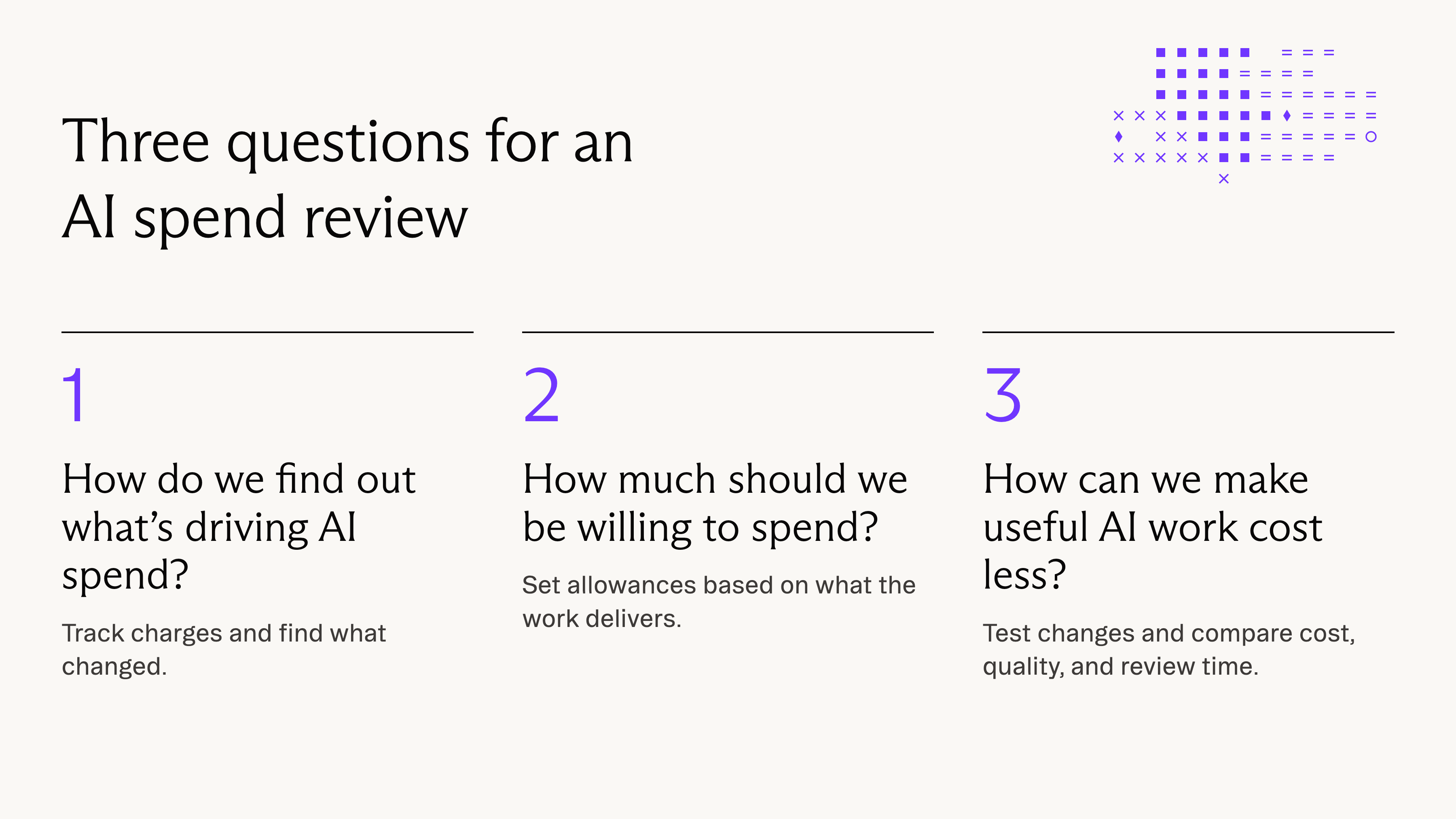
1. How do we find out what’s driving AI spend?
Teams should get into the habit of tracking recurring AI work before it becomes a large expense.
Geoff Lew, Numeric’s Solutions and AI Operations Lead, has two main reasons:
- As software providers tie more of their pricing to usage, he expects certain costs to show up more directly. A flat subscription can hide what it costs to run an automation.
- Companies should prepare for model providers like Anthropic and OpenAI to begin charging more for usage.
The more teams can understand where and how they’re using AI, they’ll begin to have a baseline to measure against once prices or volume changes.
Find every place AI is billed
Start with an inventory. “Track all the places where you are spending tokens,” Sam advises. OpenAI and Anthropic may be the obvious places to look, but variable AI charges can also appear inside customer support tools, knowledge platforms, and other software the company already uses.
Put the charges in one monthly report. Record the vendor or product, billing period, amount, and team or owner. List fixed fees and usage charges separately, then check that the total matches what you were billed.
Connect charges to teams and workflows
Next, break spending down by team and, where possible, by individual. Where you can see the model and the types of tokens it used, keep those details too. For recurring jobs that account for a meaningful share of the bill, track the workflow, its owner, the number of runs, and what those runs cost
At Glean, Miao checks a dashboard every day that shows tokens by model and type. Pair those usage figures with the rates you pay to calculate how much you spent on each model.
Investigate why a charge increased
If spending jumps across a department, what could be the reason? It could be that more people in the department started using a shared tool, increasing run count. It’s possible that the default model behind a workflow changed, intentionally or not.
Compare the workflow’s run count and average cost per run with a similar period. A higher run count may explain the increase. If the cost per run rose, check which model the workflow used and how much data it read.
If most of the increase comes from one account, ask what that employee is running. A business-critical workflow may run through one employee’s account, so a ranking of the highest-spending users is a starting point for questions rather than a clear verdict on waste.

2. How much should we be willing to spend?
Set realistic expectations for what AI spend should deliver
“Tokens are just dollars in another currency,” Miao says.
With that in mind, Sam asks that token spend, like any investment, drive value for the business.
“Token spend needs to tie back to a real outcome for the business. It is important to anchor the use of AI in building a better product, selling more effectively, or delivering better outcomes for customers.”
Numeric uses a collections agent to follow up on invoices and escalates exceptions. Sam is willing to spend more on that workflow because it covers work Numeric might otherwise pay an accounts receivable contractor to do.
For Praveer Melwani, a similar decision came up when someone on the credit and collections team at Figma moved to another role. Through AI, the team lead was able to automate enough of the work to defer filling the seat.
These examples help illustrate that AI can and should be expected to be a real growth lever for the company.
Still, all of the leaders agree that teams ought to have some allotment of budget to experiment. They feel that teams need time to find out which tasks AI can do well enough to make part of their work.
Miao says it’s hard to put a precise ROI figure on everyday AI use. He compares it to his phone, which he knows is valuable, even if he isn’t measuring daily impact in dollars. When choosing between AI tools, he uses a measure he calls token yield, or as he defines, the business value a tool delivers for what it costs in tokens.
Set allowances and decide when to intervene
Start with a budget by department and review it with the person who manages that spend. Set an individual allowance where an employee controls what they run. If a major recurring workflow has measurable costs and results, give it a budget of its own and review it with the person responsible for the job.
Michael approaches budgets as a way to make the economics visible. At Glean, different roles receive different budgets, and alerts help people recognize the incremental cost of their choices. Reaching a limit creates a conversation about whether more budget is needed.
“The primary reason actually is not to constrain usage. It’s actually to educate the employee base.” — Michael Miao
Alerts are a good way to review and evaluate spend. A team resolving more support tickets at a cost you can justify may actually need a bigger allowance. Conversely, it’s advisable to stop funding a job that delivers too little for what it costs. Sam recommends a review cadence proportionate to the company’s cash position and the materiality of AI spending.
3. How can we make useful AI work cost less?
Geoff suggests that teams benchmark a recurring workflow, then test how it runs after certain changes are made.
In his work building and refining workflows with accounting teams, some of the problems he encountered were straightforward: models doing work that code could handle, oversized context windows, and expensive models used for simple tasks.
Test one change at a time. Record the tokens spent, check whether the output is usable, and note how much review it took. Make a change and run the same inputs again.
These are some of the changes he advises teams to test as they try to optimize for both cost and quality.
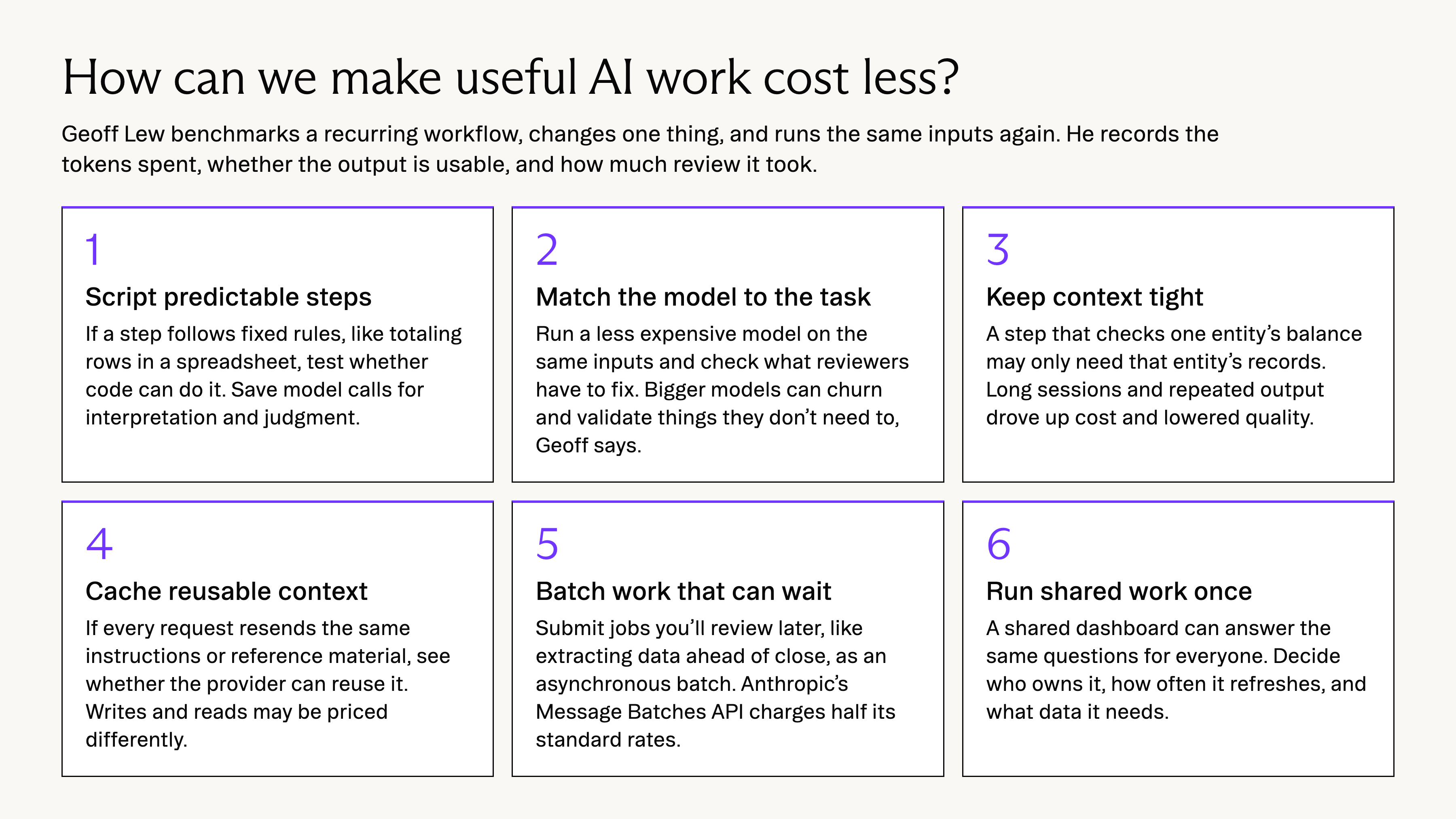
Use scripts for predictable tasks
For a step with explicit rules and predictable inputs, test whether code can perform it reliably. For example, if a step follows fixed rules, such as totaling rows in a spreadsheet, try using a script for that step. Reserve model calls for the parts of the workflow that require interpretation or judgment.
Match the model to the task
Test a less expensive model on the same inputs and check the result against the same requirements. For a task like sorting invoices into categories, check what each model gets right and how much reviewers have to fix.
“Sometimes the frontier models, the bigger models don’t actually perform as well on certain tasks because they do a lot of churn and they validate things that they don’t need to validate,” Geoff explains.
Praveer makes a similar point about defaulting to the latest model:
“There are tasks that you’re trying to … solve with a sledgehammer and you probably could do with a chisel.” — Praveer Melwani
Give the model only the context it needs
Decide what each step needs to read and return. A step that checks one entity’s balance may only need that entity’s records. Geoff found that long sessions and repeated intermediate output drove up costs and reduced quality. For recurring processes, give each step relevant context and have it produce the output the next step actually needs.
Cache reusable context
If a workflow sends the same instructions or reference material with every API request, see whether the provider can reuse that part of the prompt. Check how often the cache gets used and what each run costs. Providers can charge different rates to write to a cache and read from it. See Anthropic’s prompt caching documentation.
Batch work that can wait
Try an asynchronous batch for jobs you can submit now and review later, such as extracting data from a set of documents ahead of close. Anthropic charges half its standard API rates for requests through its Message Batches API. Check that the turnaround works for the job.
Run shared work once
A shared dashboard or reusable output can answer a set of questions without each person asking an agent to reconstruct the same analysis.
Decide who owns the output, how often it needs updating, and what data the refresh requires. Centralizing repeated work can reduce duplication while giving everyone a consistent answer.
Download the playbook: How to Assess AI Spend
AI spend – a cause for conversation, not always concern
A growing AI bill often means people have found work AI does well. Numeric and Figma have each found workflows worth paying more for. Glean has found a solid way to monitor employee spend via alerts and conversations.
When it is necessary to review an increase in spend, treat the review as a conversation with the people doing the work. Ask what they’re running, what it produces, and what they would change. Some workflows will earn a bigger allowance. Some will get cheaper with a smaller model or less context. A few may be worth rethinking or retiring, and the team running them can help you decide which.
Like any other resource, AI spend is a lever with variables: take stock of each, and use consistent evaluation to make decisions.
Related Content
Is Your AI Bill Growing? Here Are the Steps to Take Before You Tighten Team Budgets
How finance leaders at Glean, Figma, and Numeric track AI charges, set token budgets, and lower the cost of recurring AI work.

What Four Years in EMEA Taught Us About Finance Teams and AI Adoption
Four years of working with EMEA finance teams showed us how they adopt AI, from high standards for controls to local partners, peer learning, and a strong data foundation.

5 Questions to Answer Before You Make the Switch to a Usage-Based Pricing Model
Five questions from Ben Sheridan's Inflection 2026 session to answer before switching to usage-based pricing, from bookings policy to revenue accounting.