Data Rivers: How Accountants Can Stitch Together Data While Waiting on a Data Lake

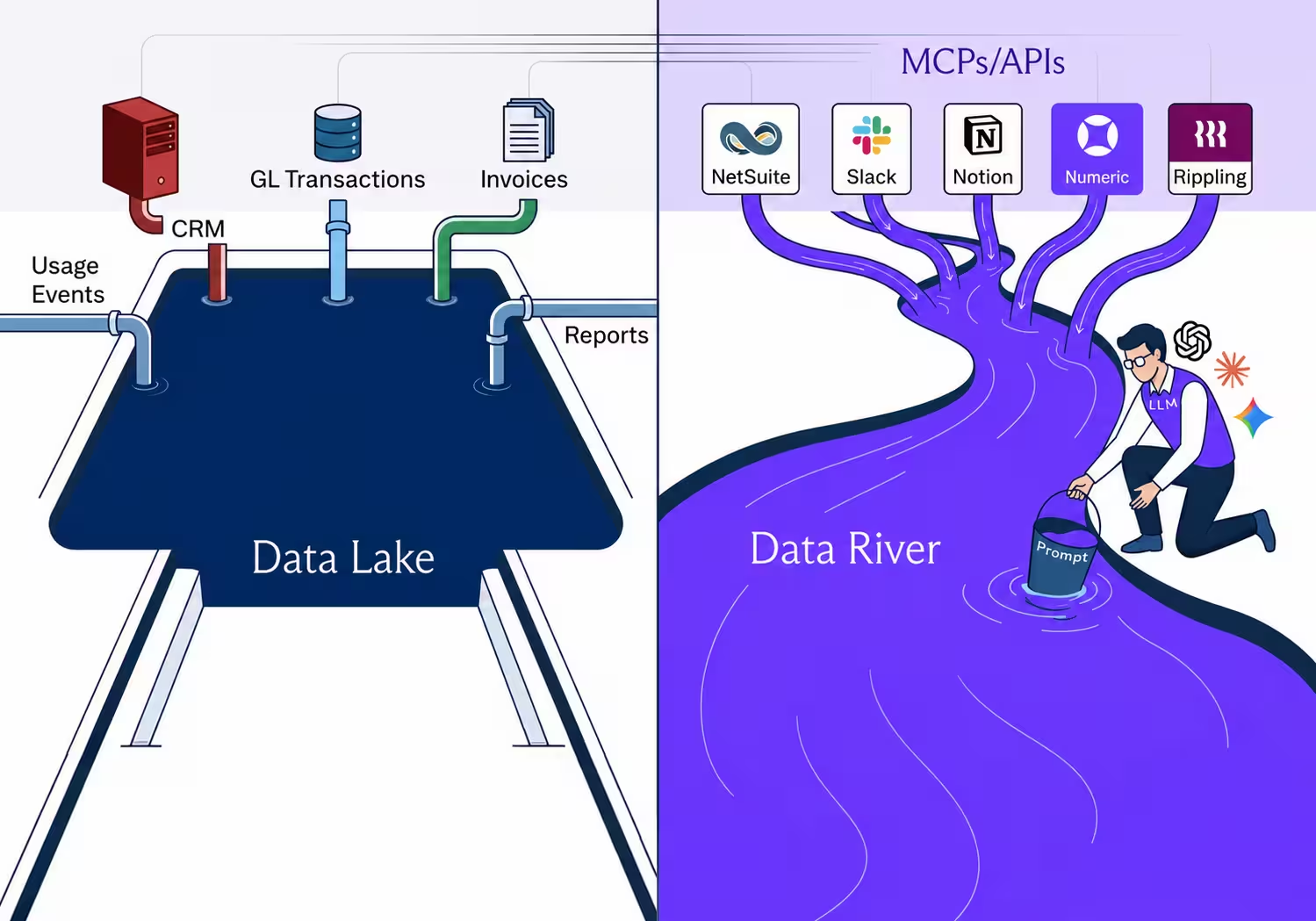
If your organization has a scattered data problem, the correct instinct is to want to aggregate it. We've heard the suggestions: build a data lake, then a data warehouse, then a data lake house—at this point it's becoming a data waterpark. The names change but the philosophy is the same: store everything in one place so the analysis can happen on top of it. The problem for a lot of teams is developing that "one place" — often via a data lake or data warehouse — requires substantial resources like data engineers and long production timelines.
For the have-nots, there's historically been little recourse. But now, a new data aggregation tool is on the scene: it's far faster to develop than a data warehouse, and it didn't even exist eighteen months ago.
With MCPs, APIs, and an LLM in the middle, accountants can compose their own data flows on demand, pulling the data they need right from the corresponding source system. We're coining a new name for this process: the data river. A data river is what you get when individual streams of data from each source system converge through your LLM into a single, queryable flow.
Accountants Know the Data They Need (They're Just Spending Half the Close Finding It)
Before most close tasks can start, an accountant has to assemble the underlying data—and oftentimes, that data lives in a long list of places that don't talk to each other. The GL sits in the ERP, but the supporting context sits everywhere else. Call it the "where is it?" tax. Many work-streams begin with a small data-collection project, and only after that project is done does the actual accounting work begin. Every minute spent looking for data is a minute not spent on the parts of the close process only a human can do.
Here's a fair question: shouldn't your ERP hold all of this data? In theory, yes; it's the system of record for the company's financial activity. In practice, however, it can only hold what's been formally fed into it, so the qualitative context behind a transaction normally lives outside the GL by design.
A 2024 IRIS Software Group survey of 500 UK early-career accountants found that their work spans across more than five disconnected systems day-to-day, with 40% spending significant time on manual data entry. The data scattering issue also compounds with scale: as a business grows, there's more data to locate; and more time spent locating it. Without any workflow intervention, the data wrangling only gets harder.
There are two ways to make searching for data easier. The bigger, more comprehensive answer is to aggregate everything into a data lake. The faster answer, available right now, is to build your data river: a single flow your LLM can draw from across every connected system, without aggregating any of the underlying data first. You ask a question, the LLM pulls the data it needs from across your stack, then you get an answer that draws from one, or multiple of your data sources at once.
Data Lakes — A High-Leverage, but High-Lift Solution
A data lake is the smart, yet decently high-lift fix for scattered data. Data lakes aggregate data from many systems into a centralized storage layer, where query engines and analytics tools can then access and analyze that information. It's a vast improvement over the scattered data status quo, but also high-lift. For an accounting team that needs supporting detail for the April expenses by Tuesday, having a data lake or lake house may be too out of reach in the short term.
A few reasons why:
- Data lakes require staff most accounting teams don't have. A CFO Dive piece on data infrastructure found that ~90% of respondents cited a lack of IT resources as the biggest hurdle to building a data lake. The constraint is usually data expertise and personnel bandwidth, both of which sit outside the accounting team's direct control.
- Data lakes take a long time to develop. They are the right investment for a company's future, but data rivers can pull data for you while the data lake is being built. The accounting team that needs answers for the current close can't wait for the lake to come online to do their job more efficiently. AWS clearly identifies some of the time constraints for development:
- Setting up storage.
- Moving, cleaning, preparing, and cataloging data.
- Configuring and enforcing security policies for each service.
- Manually granting access to users.
- Built poorly, data lakes become "data swamps"—disorganized, ungoverned, and not the sources of truth they were supposed to be. In practice, what separates a great lake from a swamp is the architecture and the ownership. Why bother investing in this storage layer if you won't structure it correctly from the start?
When a data lake or warehouse is built well, the payoff is real. Sruthi Lanka, CFO of Public, described it this way on a previous episode of Numeric’s podcast, Incoming Statements: "It's a massive unlock when you don't have to argue about definitions or how you calculate something across the company." That kind of single source of truth is worth building toward, but in the meantime, the accounting team still has to close its books. Building out your data river is how you stay effective in the months it takes to get the data lake developed.
The Data River: Focus on the Flow

Data lakes pool, data rivers flow. Data rivers and data lakes both make scattered data queryable from one place, but they get there from different directions. A lake is a permanent storage layer that pulls everything in and retains it; a river is built around real-time access, where your LLM reaches into each system only when a question gets asked. While the lake is the more comprehensive architecture, the river is what an individual accountant can build on their own today—without filing a ticket with engineering or IT.
What Makes Your Data River Possible Now
- Many MCPs and APIs are already built for the tools accounting teams use. Each connection is a potential stream feeding your data river. Anthropic released MCP as an open standard in late 2024, and many major finance tools have come online quickly. ERPs like NetSuite, QuickBooks, and close management solutions like Numeric all offer MCP server integration today. The systems where most close work happens are increasingly reachable for AI models.
- The hunt gets handed off. An LLM with MCP access can query several systems in a single prompt, doing the data hunting for you. The days of manually searching for every piece of data you need are over.
- Your data river pulls from multiple sources at once. The world of data combinations is widely opened up when streams from different systems can inform each other in the same query. An accountant can pull the PTO balances and headcount changes from Rippling alongside the related compensation accruals from NetSuite in a single prompt, and the LLM can reason across both sources in less time than it would take to open the two tabs.
Sources — Merge.dev on MCPs vs. syncs; Numeric on NetSuite MCP; AtScale on MCP as an open standard
Building Your Data River
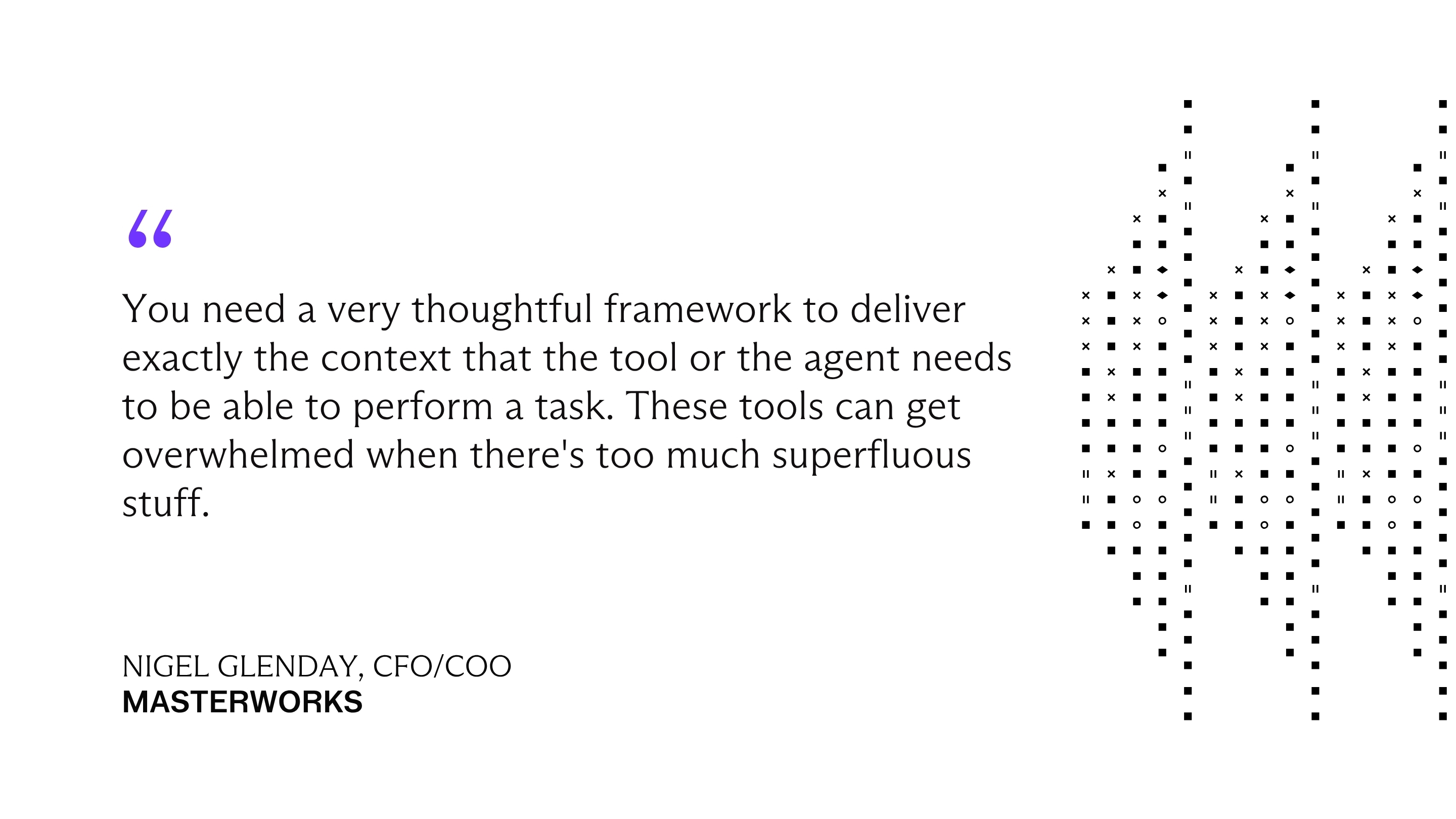
Your data river isn't built all at once, it grows one data stream at a time. Each MCP you connect adds a new source your LLM can draw from, but connecting everything at once without being deliberate makes your river noisier. The goal is to build the right streams into your river, in the right order. Nigel Glenday, CFO/COO of Masterworks, framed the underlying constraints this way:
Here are some starting points within your immediate reach:
1. Inventory where your data actually lives before plumbing anything. Walk one close cycle and write down every system you opened (GL, bank, billing, CRM, expense, contracts, Slack, Ramp). Rank by how often you opened them, and start your data river with the top handful.
2. Plug your ERP MCP in first. Your ERP holds the journal entries that almost every close task needs to reference. Connecting the ERP MCP brings that data into conversation with your workpapers, your source documents, and any other system your LLM is querying. Major ERP MCPs are available from both NetSuite and QuickBooks, to name a few.
3. Add your close platform's MCP for context the ERP alone can't provide. Numeric pulls your accounting data into one workspace for the close, and its MCP exposes reconciled, controller-grade data to your LLM. The advantage is that you're querying the data the way your team has already structured it, with the supporting context layered on top. It pairs naturally with the ERP MCP in the previous step — your ERP gives you the raw source, and Numeric gives you the close-organized version of that same data.
4. Layer in the systems that hold additional supporting data your ERP doesn't. Bank feeds, billing platforms (Stripe, Maxio, Chargebee), AP automation (Bill, Ramp, Brex), and your expense tools.
5. Connect knowledge sources alongside data sources. Notion, Google Drive, and Slack all have MCPs. Pull in the SOP docs and policy memos your team has already written so the LLM can reason about your specific accounting, not just the data. The river isn't just numbers; a significant portion of what slows close tasks is process context (why this vendor is accrued differently, which customer's invoices arrive late). That context lives in your knowledge sources, and pulling them in is what lets the LLM answer your questions the way a member on your team would.
6. Grow the river one tributary at a time. Every time you open a system to grab one number, ask whether it has an MCP. If yes, add it. You don't have to plumb it all at once—the river expands naturally as you encounter the systems that matter to your work.
Using Your Data River Without Losing the Audit Trail
Data rivers solve a real problem, but they introduce a new one: if an LLM pulled the number, how do you prove where it came from?
This matters because accounting is about getting the right answer and being able to show your work. When your auditor asks how you arrived at a figure in a workpaper, "I asked Claude and it pulled it from NetSuite" isn't sufficient documentation. You need to show the source system, the specific data, and the path between them.
The good news is that this is a solvable problem. Here's how to use data rivers responsibly:
- Treat data rivers as exploratory tools first, evidentiary tools second. The highest-value, lowest-risk use of a data river is for orientation: pulling data from multiple systems to understand what's going on, identify discrepancies, or figure out where to dig deeper. That's the "data hunt" the river replaces. Once you've found what you need, the number that ends up in your workpaper should still be traceable to a source system export, a report, or a screenshot—the same documentation you'd use in a manual close process.
- Know that MCP logging is not yet built for audit. The MCP specification currently treats logging as an optional debugging utility; session-specific and not persistent. That means the record of what your LLM queried, what it returned, and who asked for it may not survive past the session. This doesn't make MCPs unusable for accounting; it means you shouldn't rely on the MCP layer alone as your audit trail. Treat it the way you'd treat a conversation with a colleague who looked something up for you: useful, but you still document the source independently.
- Keep a human in the loop for anything that touches a workpaper. LLMs can hallucinate by generating plausible-sounding but incorrect information, and that risk is especially acute with financial data where a transposed number or a misapplied filter can cascade through a close. Every figure your data river surfaces should be verified against the source system before it becomes part of your financial record. The river saves you the time of finding the data, and the verification step is still yours.
- Document your river's plumbing. As your data river grows, keep a simple record of which MCPs you've connected, what data they can access, and who on your team is using them. This serves two purposes: it gives your auditors comfort that you know what's connected to what, and it gives your team a shared understanding of which data sources are reachable. When the data lake eventually arrives, this inventory becomes the requirements doc for what the lake needs to cover.
The best finance teams are becoming finance engineers. Get the weekly newsletter.
Conclusion
Building a data river can be a short-term, more accessible answer to your scattered data problem. Your data stays where it lives, and an LLM in the middle reaches into each source on demand. You’ll spend less time finding data and more time using it.
While a data lake might still be the more comprehensive fix for your data sprawl, the river is what works at your desk today. And if the lake does arrive, the river doesn't go away. You'll have spent the intervening months learning what data your team actually requires, which sources it draws from most, and what "good" looks like when an LLM has the right context. That's exactly the knowledge you need to make sure the lake gets built around how your team actually works.

Related Content
.png)
Numeric vs. Maxima: Which AI Close Platform Fits Your Team?
Numeric and Maxima both automate close work. Compare how each handles reconciliations and cash matching, who owns the rules, and when each one fits.
.png)
7 NetSuite Reporting Tools, and When to Just Replace NetSuite
Compare 7 NetSuite reporting tools by use case and cost, and learn when replacing NetSuite solves reporting problems at the source.
.png)
What Is Multidimensional Accounting? Benefits, Examples, and 3 Steps to Set It Up
Learn how multidimensional accounting tags transactions by department, product, and customer, with examples and 3 steps to set it up.