ERP vs Data Warehouse: Where Should Financial Data Live?

.png)
Pull up software expense for March in your ERP and you'll find the number fast. Explaining it takes longer. The invoice sits in a procurement tool, the contract terms live in a shared drive, the prepaid schedule is a spreadsheet someone rolls forward each month, and the department split was agreed on in an email thread. The balance lives in one system, and the explanation is spread across four.
That gap is usually where the ERP vs. data warehouse question starts. The short answer is that an ERP runs business processes and maintains the official books, while a data warehouse pulls data from many systems together so people can analyze it. Most growing finance teams end up running both, with the ERP owning the ledger and the warehouse holding much of the detail that explains it.
The bigger question underneath is whether financial detail and accounting authority have to live in separate places at all. Numeric's ERP replacement, the Financial Data Platform (FDP), is one answer. It's built like a data warehouse for finance, and it's also the system of record, so the books and the detail behind them come from the same records.
This guide covers what each system does, where the handoffs between them create work, and how to decide which architecture fits your team.
Key Takeaways
- An ERP owns the official accounting, including the treatments, postings, and balances behind every financial statement. A data warehouse joins data across systems for analysis.
- A warehouse can hold far more detail than the ledger, but changing a model in the warehouse doesn't correct the books.
- Most of the work in an ERP-plus-warehouse setup sits in the handoffs, where teams match grain, keep identifiers intact, and tie analytical numbers back to the GL.
- Data freshness and accounting completeness are different measures. A record that arrived today may belong to last period.
- Numeric's FDP keeps source records and accounting in one financial graph, so the trial balance is one report produced from the same data finance analyzes.
What's the Difference Between an ERP and a Data Warehouse?
An ERP is a business application. It captures transactions, applies accounting rules, and keeps the general ledger that every financial statement comes from. A data warehouse is an analytical platform. IBM describes it as a system that "aggregates data from various sources into a central data store optimized for querying and analysis." For finance, the practical split is that the ERP does the accounting and the warehouse helps people study it.
| ERP | Data warehouse | |
|---|---|---|
Primary purpose |
Run business processes and maintain the books | Combine data across systems for analysis and reporting |
Financial authority |
Owns official postings, periods, and balances | Holds copies of accounting data; the ERP stays authoritative |
Data detail |
Whatever the implementation and integrations capture, often summarized at posting | As much source detail as the pipelines bring in and retain |
Accounting logic |
Applies treatments, validations, approvals, and period locks | Models and transforms data but doesn't post to the ledger on its own |
Freshness |
Updates as transactions post; accounting is complete at close | Updates on the pipeline's schedule, which can be close to real time |
Usual owners |
Accounting, with finance systems admins | Data engineering or analytics, with finance as a major consumer |
System of Record vs. Source of Truth
The financial system of record owns the official accounting, meaning the entries, the treatments behind them, and the balances that flow into the financial statements. An analytical source of truth is the place a company agrees to pull its reporting metrics from, such as ARR, gross margin by product, or headcount cost by team.
A warehouse can be a perfectly good source of truth for metrics while the ERP remains the system of record for the books. Other applications stay authoritative for their own records, too. The CRM owns the contract, the HRIS owns the employee record, and the product database owns usage.
OLTP vs. OLAP: Why ERPs and Warehouses Are Separate Systems
The split goes back to two different jobs. An ERP is built to record transactions one at a time, reliably, while lots of people are entering bills, invoices, and journal entries at once. Engineers call that online transaction processing (OLTP). A warehouse is built for the other kind of work, like pulling twelve months of spend by vendor and department in one query, which is online analytical processing (OLAP).
The line blurs in practice. ERPs run reports and saved searches, and modern warehouses can accept writes. Those two jobs still explain why most companies ended up with one system for keeping the books and another for asking questions about them.
Learn to automate your accounting for 5.5 free CPE credits. Take the Finance Engineer Course.
How an ERP Handles Financial Data
The ERP is where business activity becomes the official books. The team needs balances there to stay reliable and locked once a period closes, and it also needs enough context attached to explain those balances months later. Those two needs pull against each other.
How an ERP Turns a Transaction into an Account Balance
A vendor bill entering an ERP gets captured, coded, checked, approved, and posted before it shows up in an account balance. Keeping the books means more than storing the amount, because someone has to decide when the cost hits the P&L and where it lands. A $120,000 annual software invoice paid in January gets recorded as a prepaid, expensed over twelve months, and assigned to one or more departments. Each of those is a call someone on the team makes.
To make those calls stick, the ERP also carries the chart of accounts, legal entities, period locks, subledgers for payables and receivables, and the workflows for reversals and adjustments. The financial modules are one part of a broader ERP, which can also run purchasing, inventory, and order management.
Why ERP Data Loses Its Context After Posting
ERPs can store detailed records and custom dimensions. What matters is how much of that detail your setup actually keeps and ties to the entries. Integrations often send only the posting fields or a summary, such as a daily revenue total or a monthly usage journal, while the source detail stays in billing, procurement, or product systems. Summarizing is a reasonable choice. The work shows up later, when someone asks about a number and the link back to the detail is gone.
Take the prepaid invoice again. Each month the ERP records a $10,000 expense entry with an amount, an account, a date, and the segments someone configured when the ERP was set up. The contract terms, the service dates, the reason the cost was split between two departments, and the schedule that produced the $10,000 usually live in a separate spreadsheet or document. The books are correct, and explaining them means going somewhere else.
What a Data Warehouse Adds for Finance Teams
A warehouse pulls context from many systems into one place, which is why so many finance teams push for one. The books still live in the ERP, and that boundary shapes most of the work that follows.
Cross-System Analysis and Why Data Grain Matters
With ERP, CRM, billing, payroll, and product data in one place, finance can compare recognized revenue across customer cohorts, track product usage against contract value, or work out support cost per enterprise account. Each of those questions needs data from more than one system, and the warehouse answers them without asking the ERP to carry every report.
Getting those answers right comes down to grain, which just means what one row in a table stands for. An invoice header table has one row per invoice. An invoice line table has a row for each product or service on that invoice, and a balance table has one row per account per month. Data teams call the amounts in those rows facts and the things you slice them by (customer, product, department, month) dimensions. For finance, the practical rule is that the table has to be at least as detailed as the question. Revenue by product has to come from the line table, since the header table only stores invoice totals.
A warehouse can keep years of history at both levels, and it can bring back source detail the ERP never received. It works with what some system captured along the way. If the billing system overwrote a contract's original terms when it was amended, the warehouse only ever sees the amended version.
Why the ERP Still Owns the Books When You Add a Warehouse
In most setups, the warehouse is where people read and analyze the accounting, and the ERP stays the place where entries get posted and balances are official. That's a choice about roles more than a technical limit, since modern warehouses can accept writes and teams build apps on top of them.
Fixing something in the warehouse leaves the books as they were. If the data team corrects a department mapping in the warehouse, the ERP's March entries still carry the old department until accounting books the reclass. Even when an integration sends a journal back to the ERP, the ERP owns that posting, its approval, and its period.
To take over the books, a platform needs the rest of what accounting does every month: posting rules, approvals, period locks, and an audit trail. Some newer platforms are built around exactly that, using modern data infrastructure while doing the accounting themselves. Numeric's FDP is one of them, and a later section of this guide covers how it works.
How ERP and Data Warehouse Integration Works
A typical setup moves data through several handoffs between the source record and the board deck. Each one is a place where the links between records and the definitions behind them either survive or get lost.
From Source System to Financial Report: ETL, ELT, and CDC
A representative flow looks like this:
- Source applications (CRM, billing, procurement, payroll, product) and the ERP produce records.
- Ingestion tools copy those records into the warehouse.
- The raw records are kept in their own layer.
- Transformations turn them into financial models, like revenue by customer or spend by department.
- Reporting and BI tools read from those models.
ETL (extract, transform, load) reshapes data before it lands in the warehouse. ELT (extract, load, transform) lands the raw records first and reshapes them afterward. ELT has become common for a reason finance will recognize: when the original records are still there, you can answer a new question next quarter and show exactly how a number was built when an auditor asks.
Change data capture (CDC) picks up new records, edits, and deletions in a source system and passes them along. For finance, it's how a late adjustment makes it into every model and report it touches, including the ones nobody thought to refresh. Modern pipelines can do this automatically and close to real time.
Keeping IDs, Definitions, and Owners Intact Across Handoffs
Tracing a journal entry back to the invoice behind it depends on IDs that survive every handoff. Keeping the invoice number isn't enough if a transformation drops the link between the invoice's individual lines, the allocation schedule built from them, and the journal entries that schedule produced. That's the problem data lineage addresses, which IBM defines as "the process of tracking the flow of data over time, providing a clear understanding of where the data originated, how it has changed, and its ultimate destination within the data pipeline."
Definitions need the same care. Copying a field from one system to another is a data task, while deciding what that field means for the books is an accounting call. Bookings, invoiced revenue, recognized revenue, and cash collected can all show up as a column called "revenue" in different places, and each one answers a different question.
Ownership should be explicit, too. Operational teams own source facts and accounting owns treatment. Data teams own the pipelines, while finance and analytics own reporting definitions. Those responsibilities overlap in practice, and giving every change a clear owner keeps a definition from drifting until two reports disagree in a board meeting.
Data Freshness vs. Accounting Completeness
Every financial record carries three timestamps that matter. One marks when the event happened, another marks when the data arrived, and the third is the accounting period it belongs to. An invoice ingested today might be for services delivered last month, so the newest record isn't necessarily part of this period's expense.
Say a warehouse dashboard shows current invoice data on day three of close, and it doesn't match the ERP. The difference turns out to be a $40,000 accrual adjustment AP has approved but not yet posted. The warehouse is fresher than the ledger in one sense and less complete in another. Faster syncing won't close that gap, because what's missing is an accounting step that hasn't happened yet.
Where an ERP-Plus-Warehouse Setup Creates Extra Work
With this setup, the same activity shows up twice, once in the ledger and once in the warehouse. Both copies have to be modeled, tied out, and kept in step every time something changes, and most of that work only surfaces when a number doesn't tie.
How Mismatched Data Grain Leads to Double Counting
The classic example is double counting. Join an invoice header table (one row per invoice, carrying the invoice total) to an invoice line table (one row per line), then sum the invoice total. An invoice with four lines now contributes its total four times, and the result looks reasonable enough to make it into a deck.
The fix starts with knowing what each table's rows represent. Sum line amounts on the line table and invoice totals on the header table, and keep the link between them so you can move from one to the other.
Tie-outs have the same catch. For two numbers to really tie, they need to cover the same entity, currency, period, and set of accounts. Two totals can match while one includes unposted activity and the other covers different accounts, and a match like that is luck.
Worked Example: Tracing a Prepaid Invoice Through a Reorg
In January, a company pays a $120,000 invoice for a software platform covering January through December. Assume straight-line expense of $10,000 per month, split evenly between Sales and Customer Success because both teams use the tool. Explaining any month's expense depends on four things:
- The vendor invoice and its service dates
- The prepaid schedule showing $10,000 a month for twelve months
- The allocation basis, 50/50 between Sales and Customer Success
- The monthly journal entry in the ERP, coded to software expense and the two departments
In July, the company reorganizes and moves Customer Success under a new Revenue department alongside Sales. Two questions come up during the next board prep.
The first is "What software expense did we record by department in March?" That's the original accounting view. March's entry recorded $5,000 to Sales and $5,000 to Customer Success, and that's what was reported.
The second is "How would March look under today's structure?" That's a management recast, with $10,000 to Revenue. It's a useful view, and it should be labeled as a recast so nobody mistakes it for what was originally reported.
Now trace where each answer lives. The ERP holds the March entry with the original department codes. The prepaid schedule and allocation basis probably sit in a spreadsheet. The warehouse may hold the invoice, and the department hierarchy if someone modeled it. The first question sends you to the ERP. The second means mapping old departments to new ones, which requires knowing both the mapping in effect in March and the one in effect today. If the warehouse stores only the current hierarchy, a routine refresh can quietly restate March under the new structure, and the historical view disappears.
The example is about data ownership and traceability. How to account for a reorganization is a policy decision each company makes on its own.
Handling Corrections and Reorgs Without Losing Historical Reports
Three kinds of change look similar and follow different rules. A source correction fixes a fact, like a wrong service date. An accounting policy change alters how activity is treated, like a new capitalization threshold. A reporting reclassification changes how results are grouped, like the July reorg. Each can carry its own approval requirements and effective dates.
The usual way to handle a reorg is to give each department mapping a start and end date. March rows then pick up the structure that existed in March, and a separate view applies today's structure on purpose.
After that, the change has to reach every affected model, the results have to tie back to the ledger, and someone has to keep a record of what changed. Automated pipelines and data tests can take on a lot of that. Finance still explains what changed and why to leadership and to auditors.
An ERP Replacement Built like a Data Warehouse: Numeric's FDP
Back to the question of where financial detail and the official books should live. Numeric's answer is the same place. The FDP holds your financial data the way a data warehouse does, and it's also the system of record where the accounting happens. Numeric calls this data-centric accounting, where the business record stays whole and the accounting comes from it.
How the FDP Keeps Source Detail and Accounting Together
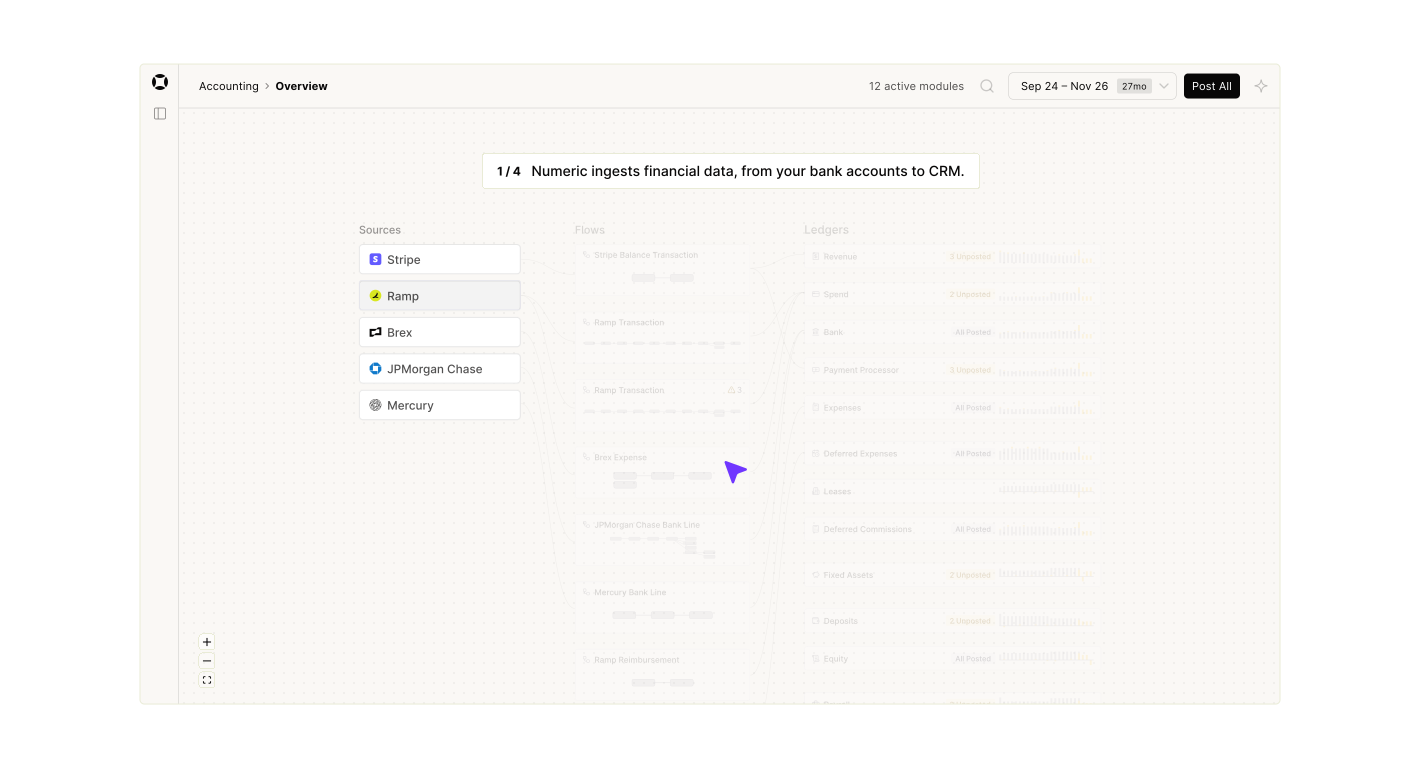
The FDP pulls in data from your source systems and keeps invoices, contracts, and leases as full records. It also keeps how those records relate to each other and everything that happens to them over time, like an amendment, a payment, or a credit. Numeric calls that connected set of records the financial graph.
The FDP then applies your accounting policies to those records to produce the books. Journal entries still exist and debits still equal credits. The system generates those entries from the records, so nobody drafts them by hand. The trial balance becomes one report the system produces from the financial graph.
.png)
That changes who owns what. In an ERP-plus-warehouse setup, the warehouse analyzes a copy of the accounting. In the FDP, the platform holding the detail is the one doing the accounting.
On the FDP, the $120,000 software invoice from earlier lands in agentic subledgers, which:
- Determine the accounting treatment
- Build the prepaid schedule
- Update balances
- Link the support to it
The invoice, schedule, treatment, and resulting entries stay connected, so there's no separate workpaper to keep in step with the ledger. AI in Numeric handles recurring work, while rules drive the result. Models never compute a number or draft a journal entry, and your team reviews the exceptions that need human judgment.
Reporting from the Same Records as the Books
When official accounting and management analysis come from the same records, questions by customer, department, or contract keep their connection to the books. In practice, that means:
- A number on a report drills back to the object that produced it, which is the same trail an auditor follows.
- Numeric Reporting lets finance pivot, group, and filter across those dimensions without exporting to Excel first.
- Teams can also build their own views on those records, such as a lease portfolio or a commissions workbench, with App Studio.
- When the business changes, whether that's a new pricing model, a new business unit, or a policy update, transactions re-derive around it without reversing entries.
Built, which serves lenders, owners, and contractors in real estate and construction, moved from NetSuite to the FDP in early 2026. Its legacy ERP accepted only a few fields per transaction, so customer-level detail from Built's own platform was stripped out before it reached the ledger, and the accounting team spent several days reassembling billing data by hand. On the FDP, full records from Built's source systems sit alongside the accounting.
“We're almost operating in a different century, it feels like, from a data perspective,” said Controller Asia McKnight.
Replacing the financial system of record leaves the rest of your stack in place. The CRM still owns the contract, the HRIS still owns employee records, and a company-wide warehouse can keep serving product, marketing, and operations analytics. The FDP's scope is finance, meaning the accounting and the financial detail behind it, and it can use the warehouse you already run as a data source for usage and product data.
How to Decide Where Your Financial Data Should Live
Financial data can live in several places. What has to be clear is which system owns the books and how anyone can trace a reported number back to its source evidence. McKinsey's Finance 2030 research urges CFOs to push for "a common data layer that is flexible enough to accommodate changing business needs while preserving a single source of truth." The worksheet below is a practical way to see how close your current setup comes to that, and where it creates work.
Step 1: Assign an Owner to Each Kind of Financial Record
Use this worksheet to map who's authoritative for each responsibility today and how a reader traces results back to evidence.
| Responsibility | What to decide | How to trace it back |
|---|---|---|
Source activity Contracts, invoices, usage, payroll |
Which application is the system of record for each fact? | Stable IDs that follow the record into accounting |
Accounting rules and treatments |
Are policies enforced by the system or by reviewers working from a policy doc? | Which rule or approval produced each entry |
Official balances |
Which system produces the trial balance and locks periods? | Drill-down from balance to entry to source record |
Historical reporting context |
Where do past department structures, mappings, and reported figures live? | Effective dates on every mapping |
Cross-functional analytics |
Where are shared metrics defined, and who owns each definition? | A tie-out from each metric to the ledger |
Each row is a responsibility, and one application can carry several of them. In Numeric's approach, the financial data foundation and the accounting authority sit in the same platform.
Step 2: Choose an ERP, a Data Warehouse, or an FDP
Improve your ERP configuration and integrations when the accounting itself runs well and the gap is in how context gets captured or reported. Adding a dimension, passing line-level detail through an integration, or cleaning up saved searches can close most of that gap without changing systems.
Add a warehouse when the main need is broad historical or cross-system analysis, like joining product usage to revenue or building board metrics from five systems. Plan for the ongoing pipeline work and the regular tie-out between warehouse numbers and the ledger.
Evaluate an FDP when your team keeps rebuilding accounting context by hand every month: pulling exports, rolling forward disconnected schedules, reclassing entries to answer new questions, and explaining summarized ERP entries with spreadsheets. Company size matters less here than how much of that work repeats each close, how much detail you need, and what your controls require. Fintech, SaaS, and usage-based businesses, where revenue models change often, tend to feel this first.
Step 3: Test Your Setup with Three Real Scenarios
Pick one real workflow, like prepaid software or usage-based revenue, and trace it from source record to balance to report. Note every transformation, approval, manual schedule, and reconciliation along the way. That map usually shows where the work concentrates.
Then run three tests against any platform you're evaluating, including the one you have today:
- Correct a source record, like a wrong service date. Where does the correction become authoritative, and does it reach the ledger and every affected report?
- Change a department structure. Can you produce both the originally reported view and a clearly labeled recast?
- Ask a historical question, like expense by vendor by department two years ago. Can you answer it and trace it to the source documents?
If you're considering a replacement, assess workflow coverage, integrations, historical records, opening balances, and how reports get validated before cutover. Numeric's implementation guide walks through migrating data and accounting policies, validating opening trial balances, running a mock month-end close, and running the FDP in parallel with the legacy ERP before switching over. Getting there doesn't require a single cutover, either. A team can start with Close & Analytics, Cash Management, or Billing and Revenue, and bring the rest of its financial data onto the FDP once the case is clear. Count the ongoing cost of pipelines and schedule maintenance in the comparison, since that's part of what you'd be replacing.
See the Financial Data Platform in action. Book a demo with our team to walk through how it works.
Final Thoughts: Keep Financial Detail and the Books Connected
Wherever financial data lives, the team needs to get from a reported number back to the entry and the invoice behind it. The conventional ERP-plus-warehouse split can get there with careful pipelines, stable IDs, dated mappings, and regular tie-outs, and plenty of teams run it well. Numeric's FDP takes a different route, putting the detail and the books on one foundation that works like a data warehouse and serves as the system of record.
To see what that looks like on your own books, book a demo and bring one workflow, like a prepaid schedule or a usage-based contract, so we can trace it from source record to accounting treatment to report together.
ERP vs. Data Warehouse FAQs
No. An ERP is a business application that runs processes and maintains the official books. A data warehouse is an analytical platform that combines data from many systems for querying and reporting. An ERP's database stores transactions, but it's designed around recording and controlling them, while a warehouse is designed around analyzing them.
Storage and querying alone don't replace accounting. To become the financial system of record, a platform also has to own accounting treatments, approvals, period controls, the audit trail, and the official balances. A warehouse can be the foundation for that, but it needs accounting logic and controls built on top.
Many do. Separate systems make sense when the ERP handles the accounting well and the warehouse serves broad company analytics. A combined financial platform fits better when most of the warehouse work exists to explain and reconnect the ledger to its detail.
A data warehouse organizes cleaned, structured data for analysis. A data lake stores raw data in its original form before anyone decides how it will be used. A financial data platform like Numeric's FDP ingests source data and applies accounting logic to it, so the same records produce both the books and the analysis. Our guide to the finance data warehouse goes deeper on the first two.
A warehouse can be the agreed source of truth for metrics like ARR or margin by product. The system of record is the one that owns the official accounting, meaning the postings, treatments, periods, and balances. Unless the warehouse executes and controls that accounting, the ERP holds that role.
The FDP replaces the financial system of record, so its scope is finance and accounting. Most companies keep a company-wide warehouse for product, marketing, and operations analytics, and the FDP can connect to it as a data source.

Related Content
.png)
What Is Multidimensional Accounting? Benefits, Examples, and 3 Steps to Set It Up
Learn how multidimensional accounting tags transactions by department, product, and customer, with examples and 3 steps to set it up.
ERP vs Data Warehouse: Where Should Financial Data Live?
Understand ERP vs data warehouse, where financial detail and accounting authority live, and how Numeric's FDP brings them into one system of record.
.png)
NetSuite Reporting Limitations: Why Native Reports Break Down As You Scale
NetSuite reporting limitations come from how the general ledger stores data. See why row limits and manual board packs happen and what fixes them.